Prerequisites
Network Topology
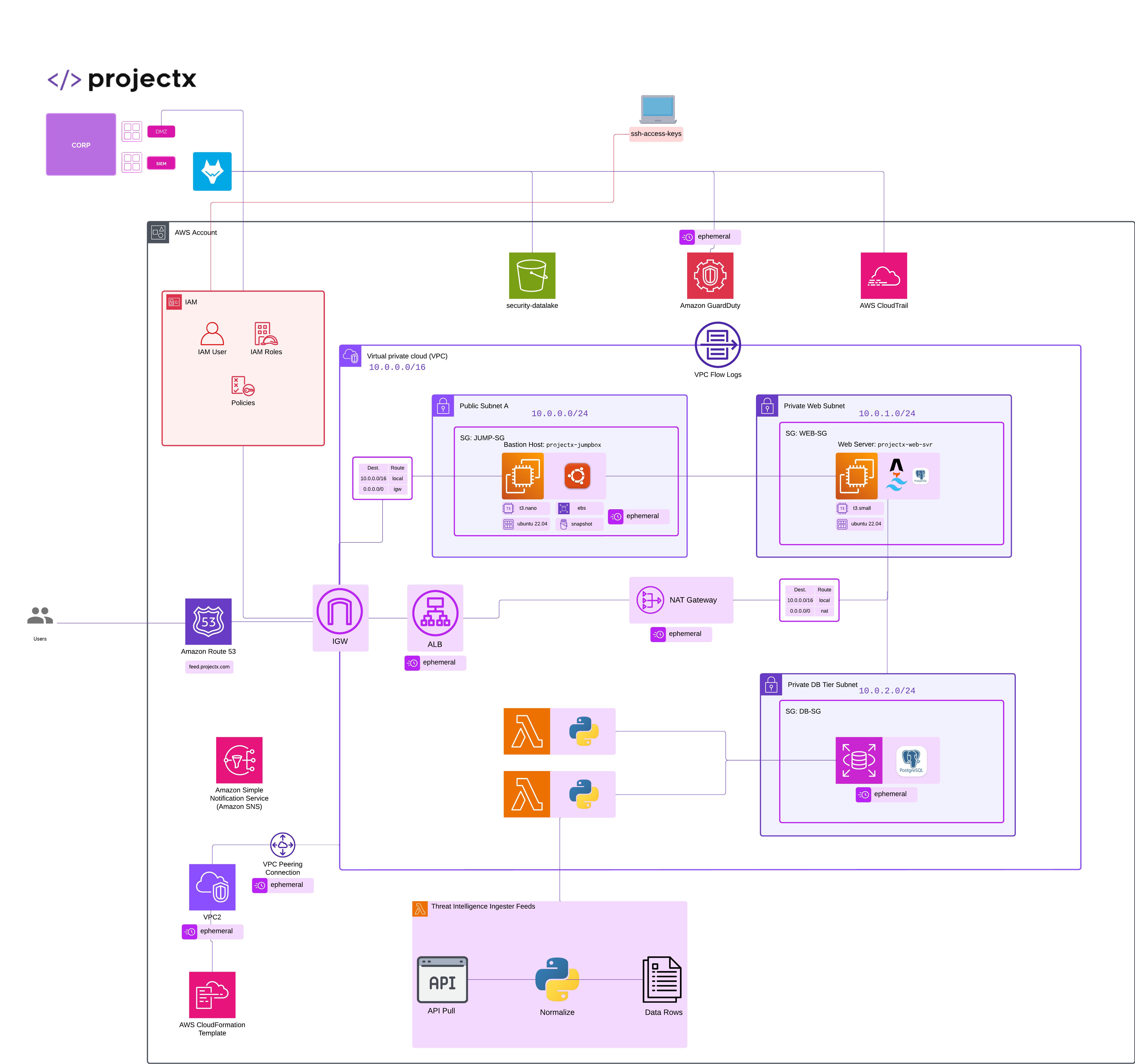
Overview
What is Amazon VPC?
Amazon Virtual Private Cloud (VPC) is a logically isolated section of the AWS Cloud where you can launch AWS resources in a virtual network that you define. You have complete control over your virtual networking environment, including IP address ranges, subnets, route tables, and network gateways.
Foundational Components of VPCs
VPC (Virtual Private Cloud)
VPCs are the foundational networking container that isolates your AWS resources. A VPC spans an entire AWS Region but is divided into Availability Zones for high availability.
There are a few foundational components which make up a VPC.
- Subnets
- Security Groups
- Network Access Control Lists (NACLs)
- Route Tables
- Internet Gateways
Subnets
A subnet is a range of IP addresses in your VPC. Subnets allow you to segment your network for security and organization.
- Public Subnet: Has a route to an Internet Gateway (IGW). Resources can directly access the internet.
- Private Subnet: No direct route to the internet. Resources require a NAT Gateway or NAT Instance for outbound internet access.
Security Groups
We have already overviewed Security Groups when we provisioned our temporary jumpbox instance.
Here's a quick summary.
Security Groups are stateful virtual firewalls that control inbound and outbound traffic at the instance level.
👉 We overviewed Stateful vs Stateless Firewalls in NA101.
- Stateful: If you allow inbound traffic, responses are automatically allowed outbound.
- Default deny: All traffic is denied by default.
- Instance-level: Applied to individual EC2 instances or other resources.
- Multiple SGs: Instances can have multiple security groups.
Network ACLs (NACLs)
Network Access Control Lists (NACLS) are stateless network-level firewalls that control traffic at the subnet level.
- Stateless: You must explicitly allow both inbound and outbound traffic
- Subnet-level: Applied to entire subnets. Every instance that is in a subnet must follow the inbound and outbound rules in the NACL.
- Default allow: Allows all traffic by default (unless explicitly denied).
- Rule numbers: Rules are evaluated in order based on rule numbers.
Route Tables
Route Tables control where network traffic is directed both inside and outside the VPC. Each subnet must be associated with a route table.
VPCs can have local routes. Traffic transmits within the VPC. Perhaps from one subnet to another (ex. Web server sends data to Database).
By default, VPCs do not have internet access.
This is where an Internet Gatway comes in...
An Internet Gateway (IGW), routes traffic for public internet access.
There are a few other "Gateways" types in AWS.
Including NAT Gateway, which connects private subnets to the internet.
There is also the Virtual Private Gateway, which routes for VPN connections.
Enough theory, let's build the ProjectX-Prod VPC.
Create ProjectX-Prod VPC
Navigate to VPC AWS Service.
Select "Create VPC".
Select "VPC only".
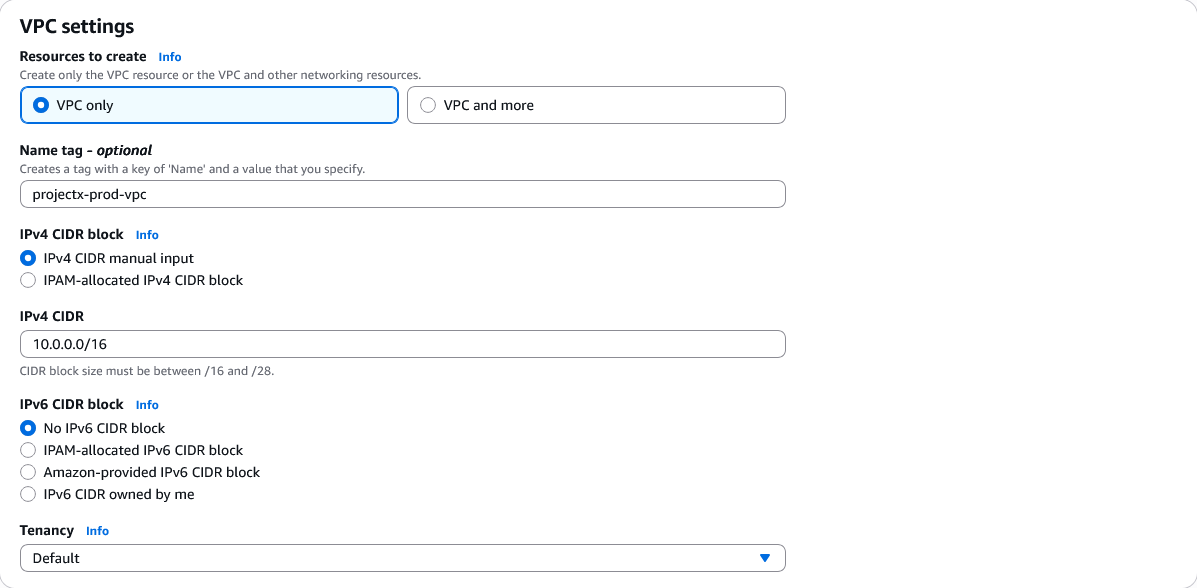
Configure the VPC:
- Name tag:
ProjectX-Prod-VPC - IPv4 CIDR block:
10.0.0.0/16 - IPv6 CIDR block: No IPv6 CIDR block
- Tenancy: Default
Leave all other settings as default.
Select "Create VPC".
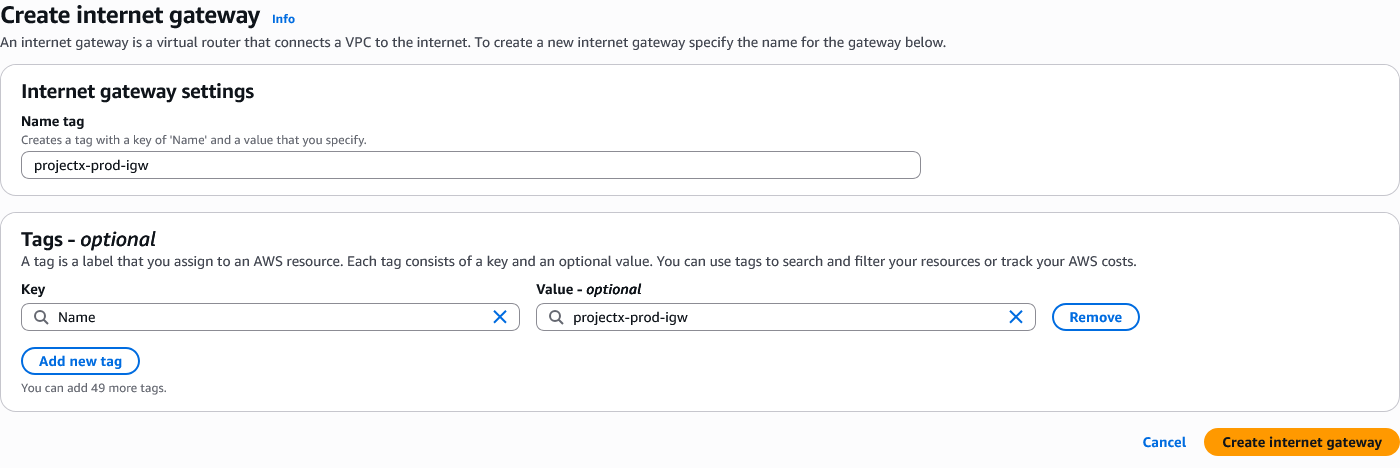
Create Internet Gateway
An Internet Gateway (IGW) enables resources in your public subnets to communicate with the internet.
Navigate to VPC ➔ Internet Gateways.
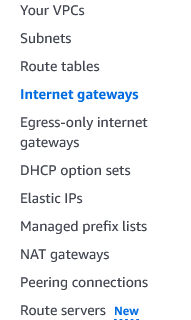
Select "Create internet gateway".
Configure:
- Name tag:
ProjectX-Prod-IGW
Select "Create internet gateway".
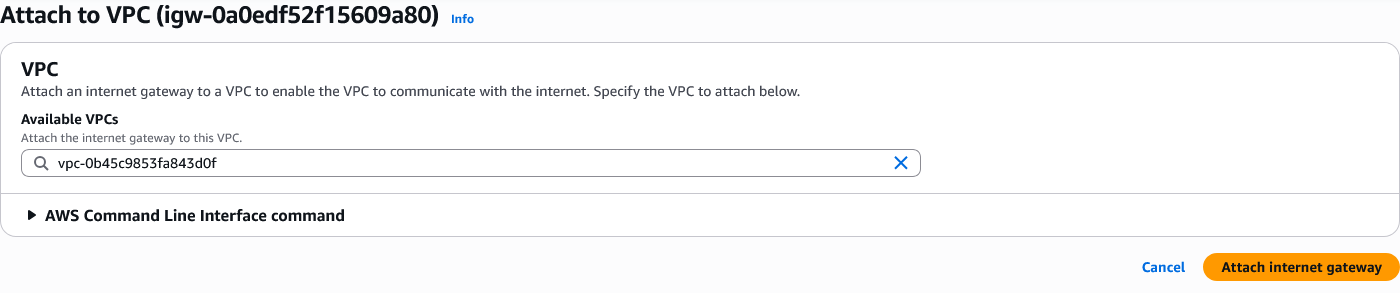
Attach the Internet Gateway to your VPC:
Select the Internet Gateway ➔ "Actions" ➔ "Attach to VPC".

Select ProjectX-Prod-VPC.
Select "Attach internet gateway".
Create Subnets
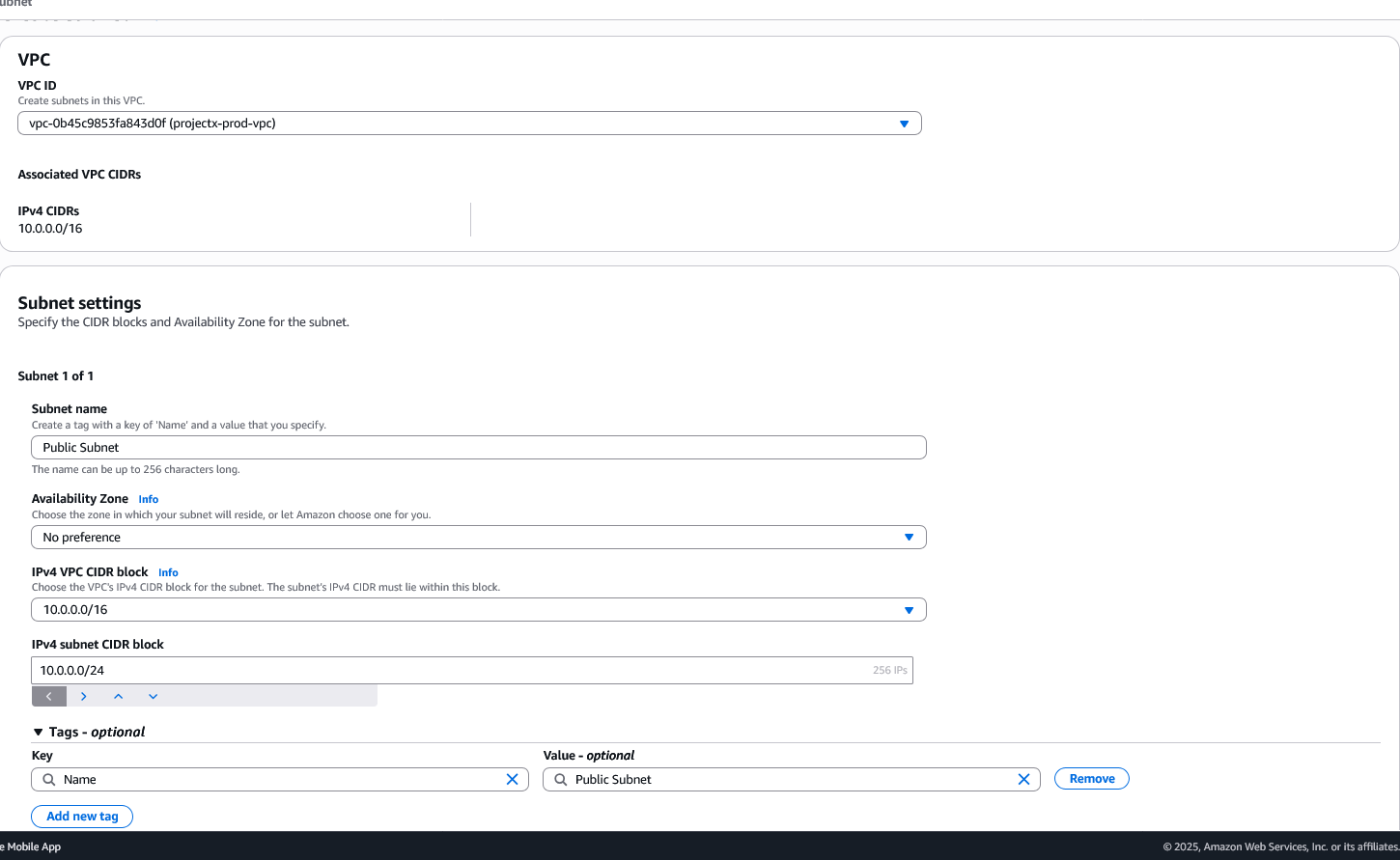
Public Subnet
Navigate to VPC ➔ Subnets.
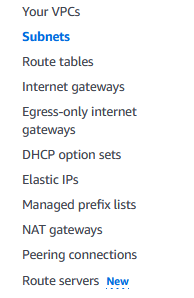
Select "Create subnet".
Configure:
- VPC ID: Select
ProjectX-Prod-VPC - Subnet name:
ProjectX-Prod-Public-Subnet - Availability Zone: Select any available AZ (e.g.,
us-east-1a) - IPv4 CIDR block:
10.0.0.0/24
Select "Create subnet".
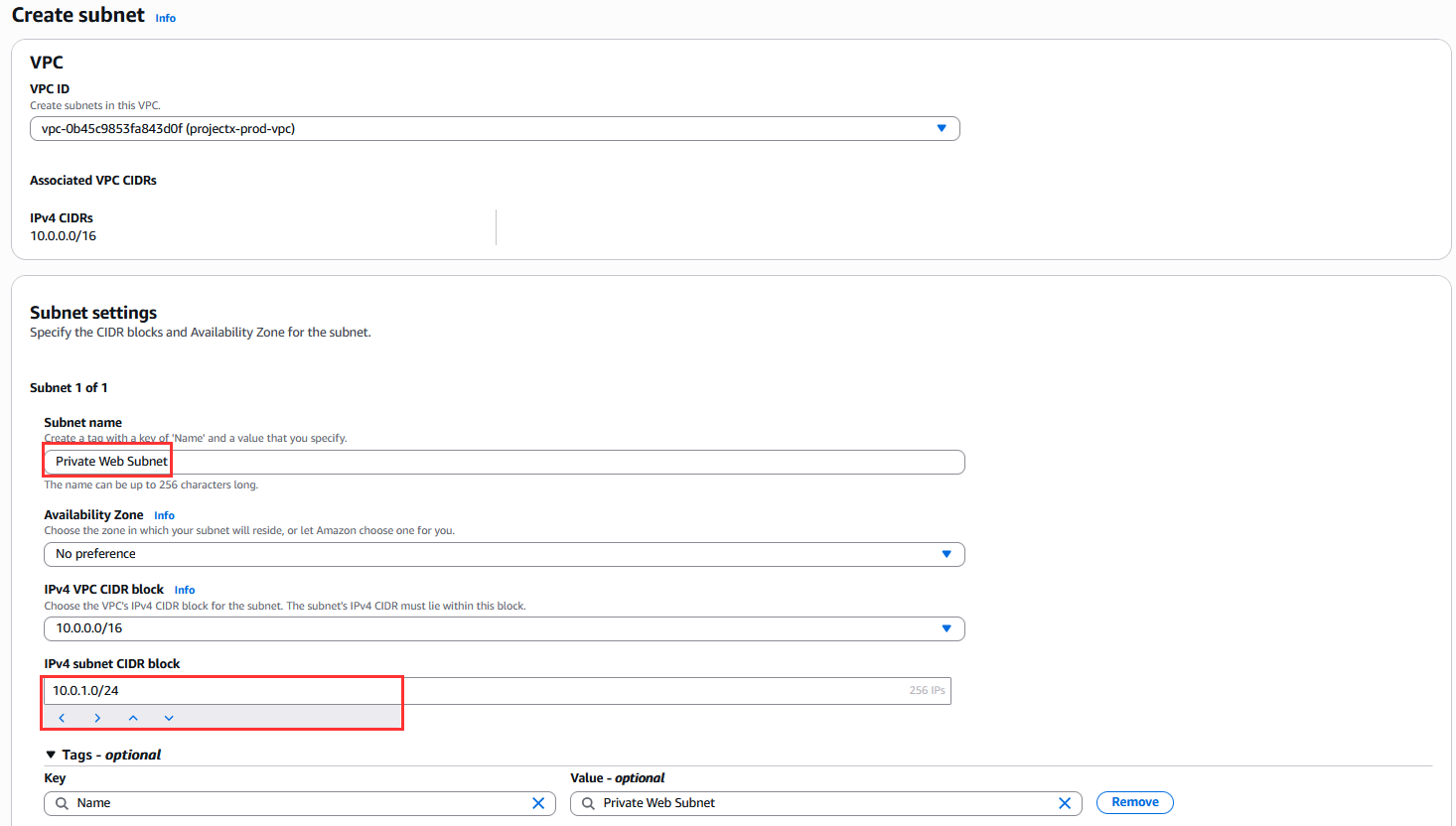
Private Web Subnet
Select "Create subnet".
Configure:
- VPC ID: Select
ProjectX-Prod-VPC - Subnet name:
ProjectX-Prod-Private-Web-Subnet - Availability Zone: Select the same AZ as the public subnet (e.g.,
us-east-1a) - IPv4 CIDR block:
10.0.1.0/24
Select "Create subnet".
Private DB Subnet
Select "Create subnet".
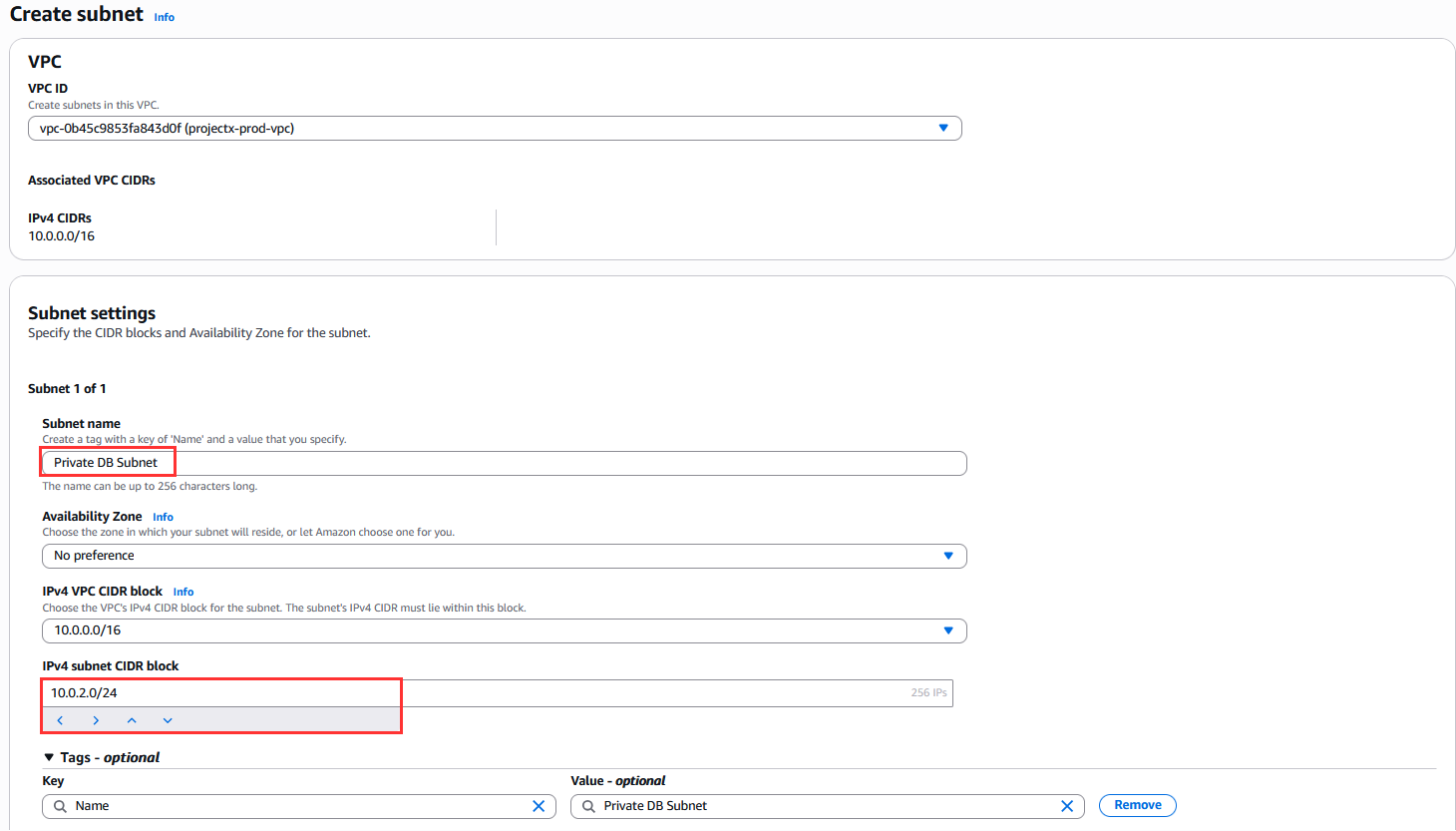
Configure:
- VPC ID: Select
ProjectX-Prod-VPC - Subnet name:
ProjectX-Prod-Private-DB-Subnet - Availability Zone: Select the same AZ as the public subnet (e.g.,
us-east-1a) - IPv4 CIDR block:
10.0.2.0/24
Select "Create subnet".
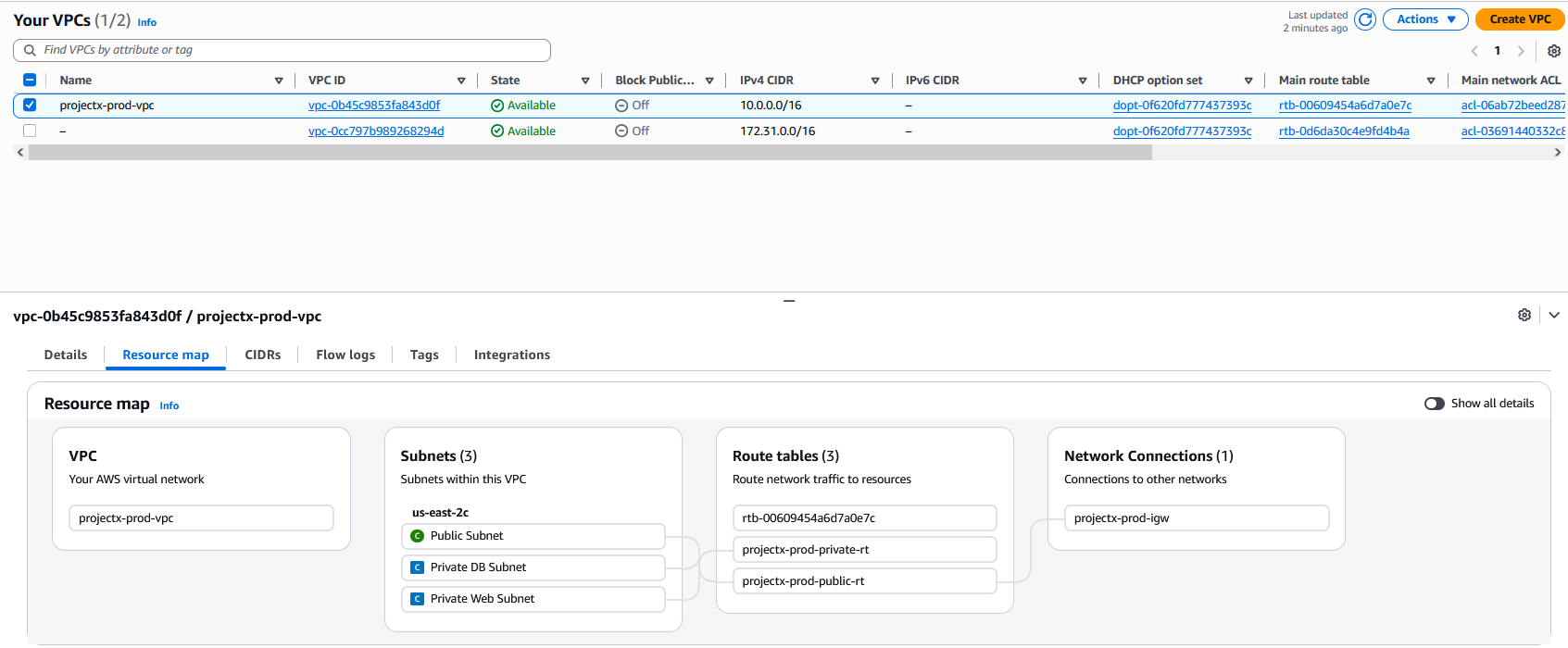
👉 You should now have three subnets in your VPC:
- Public Subnet: 10.0.0.0/24
- Private Web Subnet: 10.0.1.0/24
- Private DB Subnet: 10.0.2.0/24
Configure Route Tables
Public Route Table
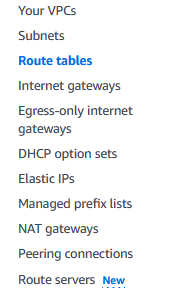
Navigate to VPC ➔ Route Tables.
Name the route table projectX-prod-public-rt.
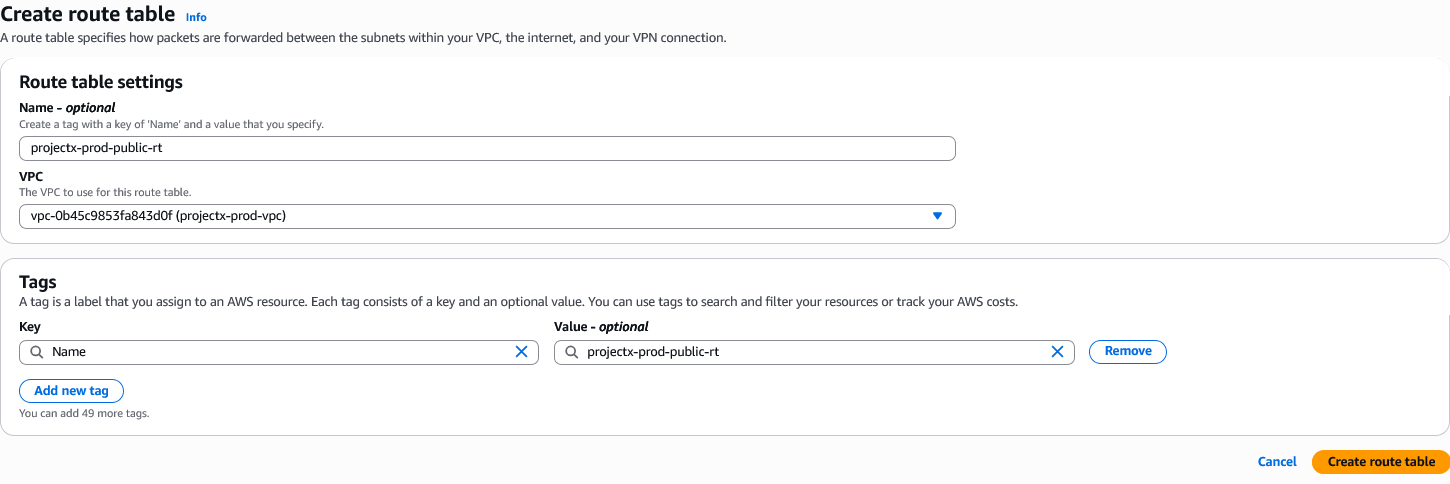
Edit the route table:
- Name:
projectX-prod-public-rt
Edit routes:
Select "Edit routes" ➔ "Add route".
Configure:
- Destination:
0.0.0.0/0 - Target: Select Internet Gateway ➔
projectX-prod-igw
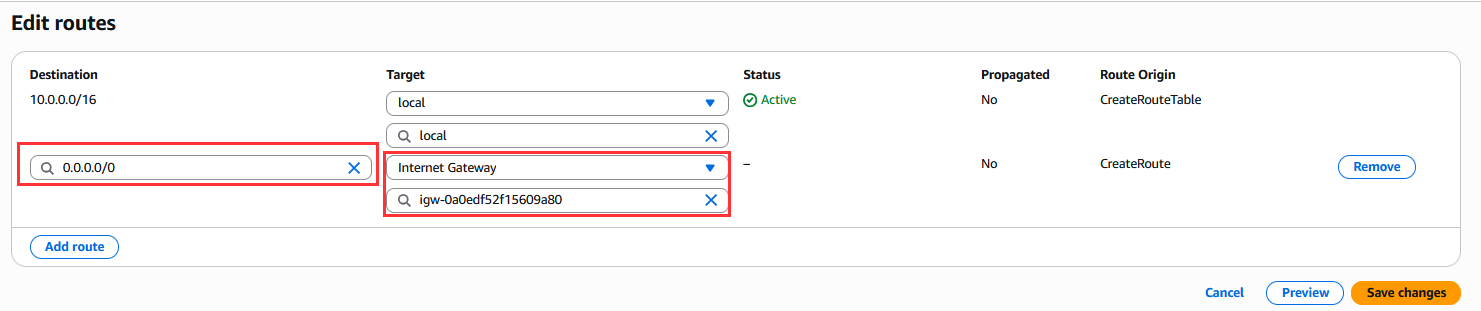
Select "Save changes".
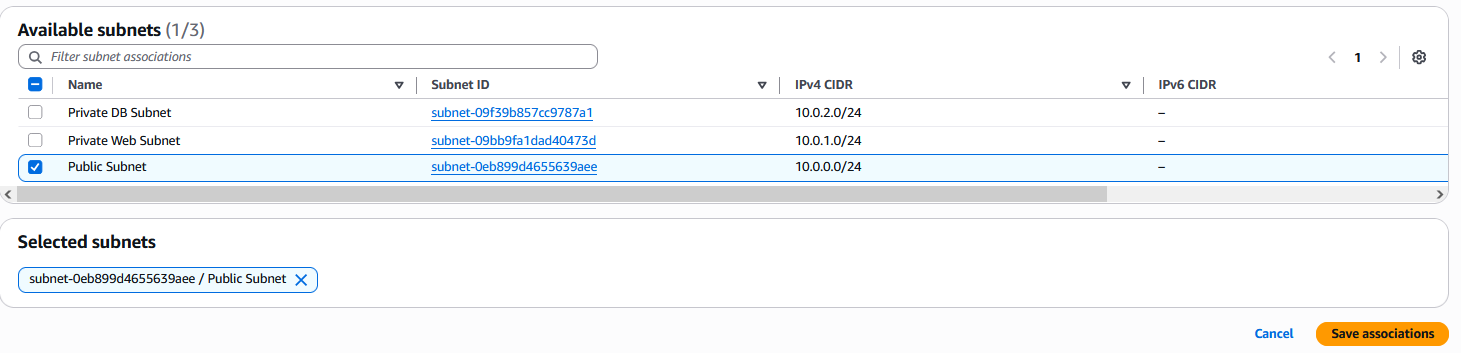
Associate the public subnet:
Select "Subnet associations" ➔ "Edit subnet associations".

Select ProjectX-Prod-Public-Subnet.
Select "Save associations".
Private Web Route Table
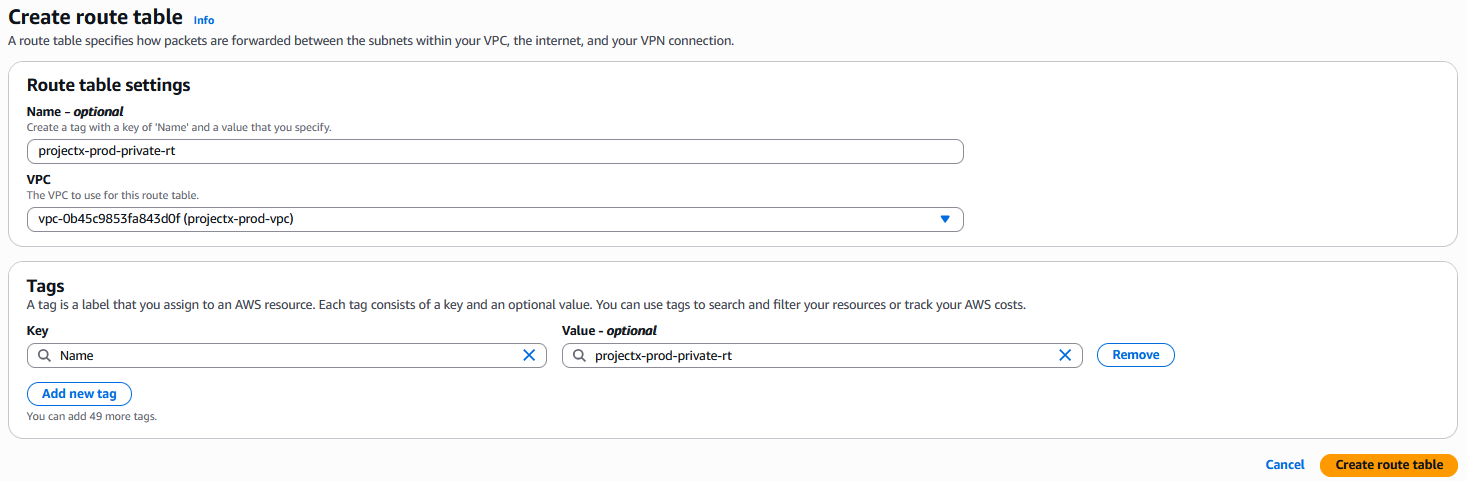
Create a new route table:
Select "Create route table".
Configure:
- Name:
projectX-prod-private-rt - VPC: Select
projectX-prod-vpc
Select "Create route table".
👉 For private subnets, we'll configure routes to a NAT Gateway in a later step. For now, the route table will only have local VPC routes (allowing communication within the VPC).
Associate the private web subnet.
Select the route table ➔ "Subnet associations" ➔ "Edit subnet associations".
Select Private DB Subnet and Private Web Subnet.
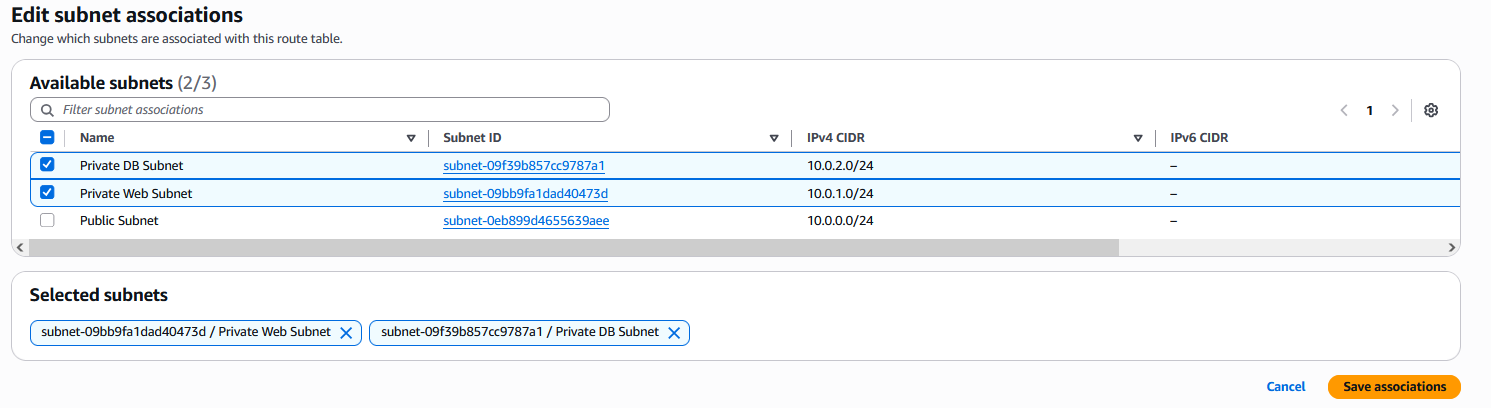
Select "Save associations".
👉 The private route tables currently only have local routes. We will add NAT Gateway routes in the next step to enable outbound internet access for private subnets.
Verify Configuration
Verify your VPC setup:
- VPC:
ProjectX-Prod-VPCwith CIDR10.0.0.0/16 - Internet Gateway:
ProjectX-Prod-IGWattached to the VPC - Subnets:
- Public:
10.0.0.0/24→ Public Route Table → Routes to IGW - Private Web:
10.0.1.0/24→ Private Web Route Table - Private DB:
10.0.2.0/24→ Private DB Route Table - Route Tables: Three route tables (one public, two private)
Your VPC infrastructure is now ready for deploying EC2 instances and other AWS resources.